Wash The House Controls Guide
PC and controller binds for Crystal Clean's mansion cleaner — pickup, drop, washer rotate, and upgrades.
Clean inputs make Wash The House feel fair. Sloppy binds make the mansion feel harder than it is. This Controls guide documents the published PC and controller layout for Wash The House by Crystal Clean, then explains how those binds fit the return-items + power-wash + upgrades loop.
If you still need a first-session plan, skim Getting Started first, then return here to lock muscle memory.
PC controls
| Action | Key | When you use it |
|---|---|---|
| Pickup / interact with items | E | Grab furniture, props, and clutter that must return to a spot |
| Drop held item | G | Abort a bad carry, free your hands, or reposition |
| Rotate power washer | R | Change spray orientation for walls, undersides, and tight corners |
Movement, camera, and jump follow standard Roblox PC habits. The mansion-specific verbs you must not confuse are E, G, and R.
PC practice drill (two minutes)
- Find a light prop. Press E to pick it up.
- Walk three steps. Press G to drop it on purpose.
- Pick it up again and seat it on the correct marker.
- Equip the washer, face a wall, tap R while watching the nozzle orientation.
- Spray a small patch, rotate, spray the edge you missed.
Repeat until you stop looking down at the keyboard. That is the whole early-game skill ceiling for inputs.
Controller controls
| Action | Button | When you use it |
|---|---|---|
| Pickup / place | RT | Grab items and seat them on valid return spots |
| Drop | LT | Release a mistaken carry without forcing a place |
| Upgrades | Y | Open the upgrade flow when you are ready to spend |
Controller players should treat RT as the “commit” trigger for the item loop and LT as the “cancel carry” trigger. Y is your economy menu — open it between rooms, not while a friend is waiting for you to clear a doorway.
Controller practice drill
- Aim at a misplaced item and tap RT to pick up.
- Move to the silhouette or highlight, then RT again to place when valid.
- Pick a wrong object on purpose and LT drop it.
- Press Y, note where upgrades live, then close without panic-buying.
- Return to spraying and learn how your stick sensitivity affects washer tracing.
How binds map to the three systems
Item returns
Pickup and place are half the game. On PC that is primarily E plus movement; on controller it is RT. Drop (G / LT) exists because wrong carries are normal in a cluttered mansion. Deep technique — reading silhouettes, carrying order, avoiding blocked doorways — lives in Return Items.
Power washing
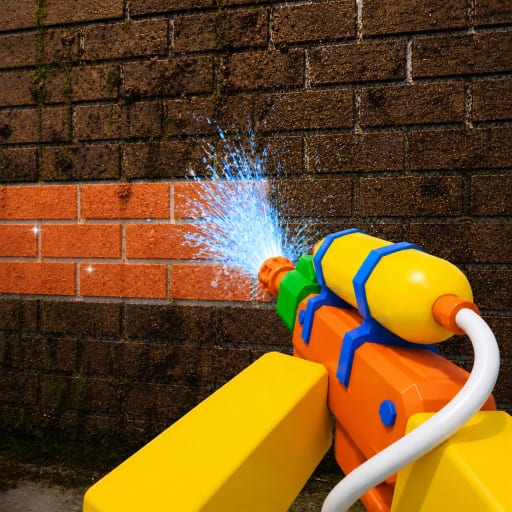
The washer is not only “hold spray.” R on PC exists so you can change orientation when a stain sits on a vertical face, under a lip, or along a stair riser. If dirt remains after a long spray, rotate before you blame upgrade level. Technique details are in Power Wash Tips.
Upgrades
Controller players get an explicit Y shortcut into upgrades. PC players should locate the on-screen upgrades entry during their first session and keep it as muscle memory as Y is for gamepad users. Buy upgrades that shorten clean time; then go prove the purchase on a dirty wall.
Co-op and controls
In online co-op (max 20 players), callouts are easier when everyone shares bind language:
- “I will RT / E the props; you wash.”
- “Dropping with LT / G — do not steal this carry.”
- “Opening upgrades on Y — thirty seconds.”
Shared vocabulary stops three people from grabbing the same vase. Broader teamwork patterns are in Co-op Tips.
Platform tips and gotchas
Keyboard ghosting. Some cheap keyboards struggle if you hold movement, camera modifiers, and R awkwardly. If rotate feels ignored, tap R instead of chording everything at once.
Trigger pressure. On controllers, light RT taps help when you only meant to place, not re-grab. Hair-trigger settings can double-pickup.
UI focus. If a Codes or Shop UI appears in a future update, make sure the text field is focused before typing. Redemption workflow notes sit in How to Redeem Codes even though no verified public codes list exists yet.
Roblox menu conflicts. Escape / the Roblox menu can steal focus mid-carry. Finish placing or drop with G / LT before opening system menus.
Accessibility and comfort
- Lower camera sensitivity if washer tracing overshoots stains.
- Stand closer to props on controller if depth perception makes RT pickups finicky.
- Take breaks; incremental cleaners invite long sessions, but tired fingers mis-drop valuables.
Bind cheat sheet to share with friends
Copy this into chat when a new cleaner joins:
PC: E pickup, G drop, R rotate washer | Controller: RT pickup/place, LT drop, Y upgrades
Then point them at this page and the Guides Hub for the rest.
Next steps after controls feel natural
- Apply placement discipline in Return Items.
- Improve spray paths with Power Wash Tips.
- Plan a full clear using Complete the Mansion.
Controls are the smallest guide on the wiki by topic size and one of the highest value pages by frustration prevented. Learn them once; the mansion gets quieter immediately.
Frequently Asked Questions
Quick answers for Wash The House cleaners.
What key picks up items on PC?
Press E to pick up items. Use G to drop a held item if you grabbed the wrong prop.
How do I rotate the power washer?
On PC, press R to rotate the power washer so you can hit awkward angles and vertical surfaces more cleanly.
What are the controller binds?
RT picks up and places items, LT drops, and Y opens upgrades.
Do controls change in co-op?
No. Binds stay the same. Teams just need shared callouts so players do not fight over the same item.
Where should I go after learning controls?
Read Return Items and Power Wash Tips next, or return to Getting Started if you still need a first-session plan.