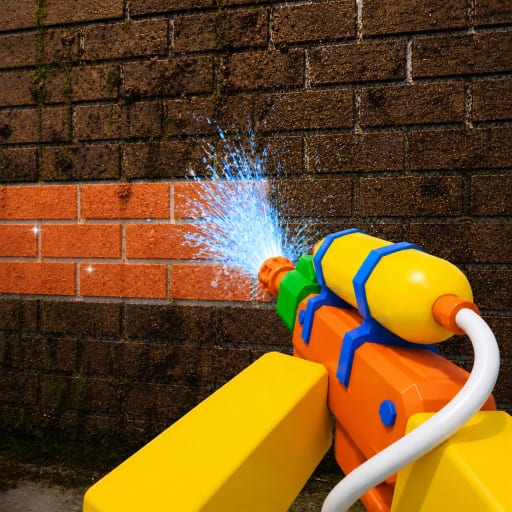
How to Redeem Wash The House Codes
A practical checklist for Crystal Clean's mansion cleaner — what to open, how to type codes, and what to do when nothing works yet.
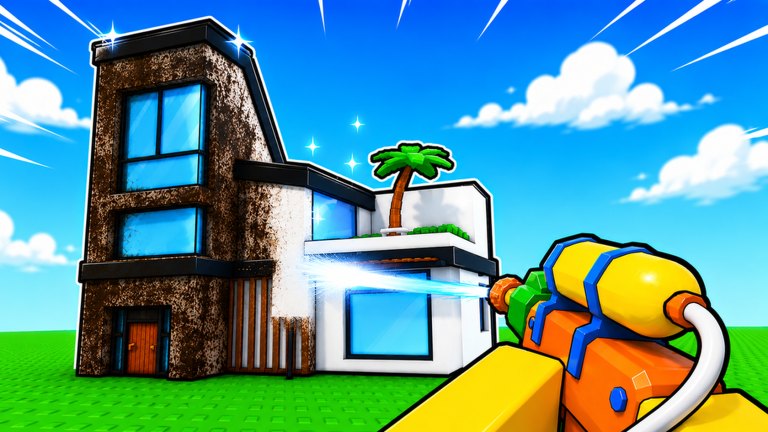
Redeeming codes in Roblox experiences is usually simple, but Wash The House by Crystal Clean does not currently ship a verified public code catalog. This guide still matters: when a Codes, Gift, Shop, or Twitter-style input appears after an update, you will already know the safe workflow. Pair this page with the Codes Hub overview and the live Active Codes table.
Before you hunt for a redeem button
Confirm you are in the correct place: Wash The House on Roblox (released 2026-06-27). The loop is simulation / incremental cleaning — return items to their spots, power wash dirty objects, and buy upgrades — not a battle pass shooter with a dozen gift menus. If you joined a different cleaner with a similar name, leave and relaunch the Crystal Clean mansion.
Recommended prep:
- Update Roblox so UI elements load correctly.
- Like the experience and join the Crystal Clean group if you have not already (the description encourages both).
- Finish the first minute of loading so prompts and upgrade panels can appear.
- Keep a notepad of candidate codes from official sources only.
Step-by-step redemption playbook
Exact labels can change after patches, so treat these as ordered checks rather than a fixed screenshot guide.
1. Fully enter a session
Spawn into the mansion and wait until you can move, pick items with E (RT on controller), and interact with dirt. Codes UIs sometimes fail if you try to redeem during the join screen or while the place is still streaming assets.
2. Search the HUD and menus
Look for buttons named Codes, Rewards, Gift, Shop, Twitter, or Free. On many simulators these sit near the currency counter or upgrade board. On controller, open the same menus you use for upgrades (Y is the documented upgrades shortcut) and scan adjacent tabs.
3. Open the input field carefully
Tap or click once, then type or paste the code. Roblox mobile keyboards sometimes insert trailing spaces — delete them. Desktop players should avoid autocorrect changing hyphens.
4. Match the string exactly
Case sensitivity is common. CLEAN2026 and clean2026 may not be equal. Do not add extra spaces between words unless the official drop shows them.
5. Confirm and inspect rewards
After a success message, check soft currency, tool skins, washer boosts, or inventory. If the UI says success but nothing appears, rejoin once; delayed grants happen in some Roblox places.
6. Log failures without spamming
If the code is invalid, expired, or already used, stop retrying every second. Re-check the Active Codes page and official Crystal Clean posts before assuming the wiki is wrong.
What to do while no Codes UI exists
An empty or missing button is normal right now. Crystal Clean may add redemption later, or they may deliver free rewards through group gifts, description links, or update grants that never use a typed code. Until then:
- Keep playing the core loop described in Getting Started.
- Learn washer control from the Controls guide and Power Wash Tips.
- Coordinate friends with Co-op Tips so progression still feels rewarding.
Common redeem errors and fixes
| Problem | Likely cause | Fix |
|---|---|---|
| No Codes button | Feature not shipped yet | Wait for updates; use Guides instead |
| Invalid code | Wrong game or typo | Confirm Wash The House place ID and retype |
| Already redeemed | One redeem per account | Check alts only if rules allow; otherwise move on |
| Expired | Limited drop window | Remove from your list; refresh Active Codes |
| Nothing granted | Lag or UI desync | Rejoin session, re-open inventory |
Official vs unsafe sources
Safe: Roblox place description, Crystal Clean group wall/shout, in-game announcements, and this wiki after verification.
Unsafe: random “code generators,” executor discords, paid “private code” sellers, and lists scraped from other cleaning experiences. Those sources often recycle strings that never belonged to Wash The House.
Linking codes to real progression
Even after codes arrive, they will not replace mastery. Returning furniture cleanly, clearing stubborn grime, and buying the right upgrades still decide how fast you finish rooms. Read Return Items and Complete the Mansion so redeemed boosts feed into a plan instead of sitting unused.
Checklist before you leave this page
- You know which Roblox place is the real Wash The House experience.
- You know where a future Codes UI might appear.
- You will not copy Clean a House or unrelated cleaner codes.
- You bookmarked the Codes Hub and Active Codes for updates.
- You have a gameplay plan while the active list stays empty.
When Crystal Clean publishes the first verified strings, return here only for the how-to; use Active Codes for the live table itself.
Frequently Asked Questions
Quick answers for Wash The House cleaners.
Where is the Codes button in Wash The House?
There may be no Codes button yet. If Crystal Clean adds one, check near currency, shop, upgrades, or pause menus after the mansion fully loads.
Why does my code say invalid?
You may be in the wrong experience, the string may be mistyped, expired, already used, or never belonged to Wash The House. Recheck Active Codes and official posts.
Can I redeem codes on controller?
If a Codes UI exists, open it with the same menus you use for upgrades (Y opens upgrades). Focus the text field and enter the string carefully.
Do codes work in co-op servers?
Most Roblox code redemptions are account-based. Each friend usually redeems on their own account even when cleaning together in a 20-player session.
Should I use third-party redeem sites?
No. Stick to in-game UI and official Crystal Clean or Roblox sources. Generators and executor tools are unsafe and unnecessary.